
CPU and memory
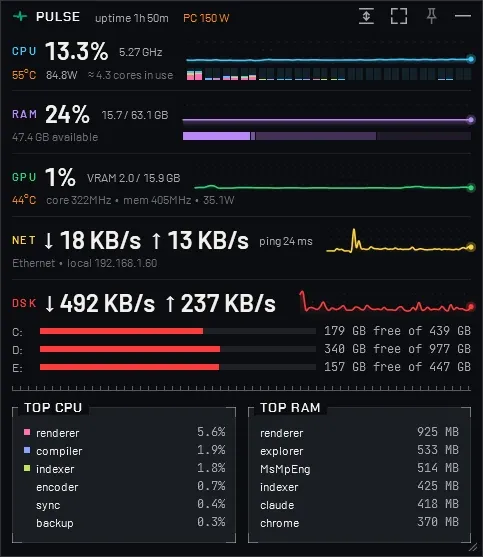
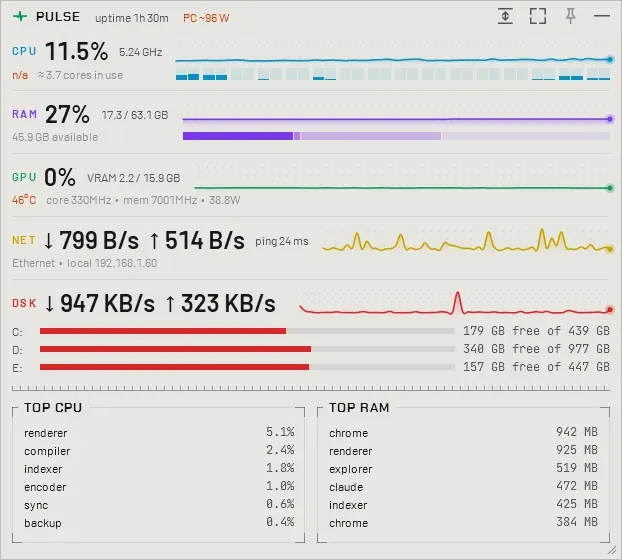
CPU usage, clock, temperature and power, with one bar per core that shows which processes run on it; RAM split into in use, cached and free in one bar.
Task Manager is big, doesn't remember its position and size, and has to be opened every time.
A small window that starts with Windows. It shows CPU per core, RAM, GPU, network and disk with graphs of the last minute, and uses about 2% of one core.
01 — Overview
Pulse is a small window that stays on the desktop and shows live system metrics, each with a graph of the last 60 seconds. It can start with Windows, lives in the system tray and is designed to use as little CPU and memory as possible.
CPU usage, clock, temperature and power, with one bar per core that shows which processes run on it; RAM split into in use, cached and free in one bar.
GPU usage, video memory, temperature, clocks and power, also for integrated GPUs; NVIDIA cards are read directly from the driver.
Download and upload speed, Wi-Fi signal, IP addresses and ping; disk throughput and free space on each drive.
The six processes using the most CPU and the most memory, updated every five seconds, with a menu to open their folder or end them.
Starts with Windows, remembers its position and size, moves to a corner of the screen or fits its content with one click, and hides in the system tray.
Every metric has a graph of the last 60 seconds; fast values refresh every second, sensors every two. Dark and light theme.
02 — Details
Windows 10 or 11, 64-bit, with the .NET 9 Desktop Runtime. A portable zip is also available.
CPU temperature and power need administrator rights and the PawnIO driver, the processes on each core administrator rights. The installer can set Pulse to start that way at login and install PawnIO.
Projects
 Orbit
 Prism
 Argus
 Cove
 Inlay