Working with Claude Code in a terminal, I couldn't see what it was changing in the project without opening a heavy IDE, and with several repositories and chats open it was easy to lose track.
The solution
A light editor to keep next to Claude. It shows the real file tree with the changes as they happen, keeps chats and repositories side by side, and its Activity view rebuilds the work done in each project.
01 — Overview
What it does
Orbit is a small desktop editor to keep next to Claude Code: it shows the whole project, edits files, handles git and runs Claude Code in an integrated terminal. Several repositories stay open as tabs in one window. It is not a full IDE: there is no language server, debugger or refactoring.
Repositories and files
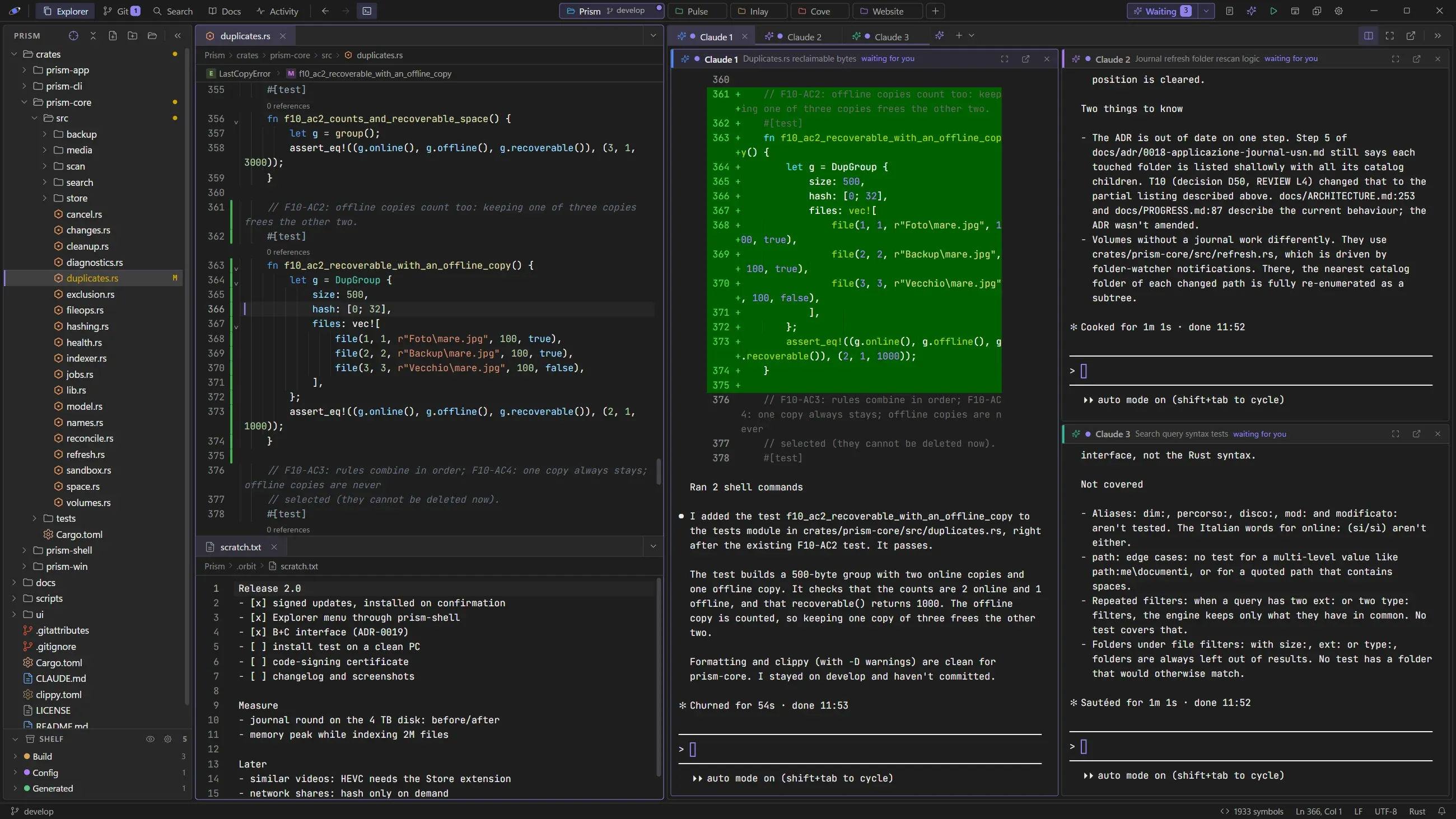
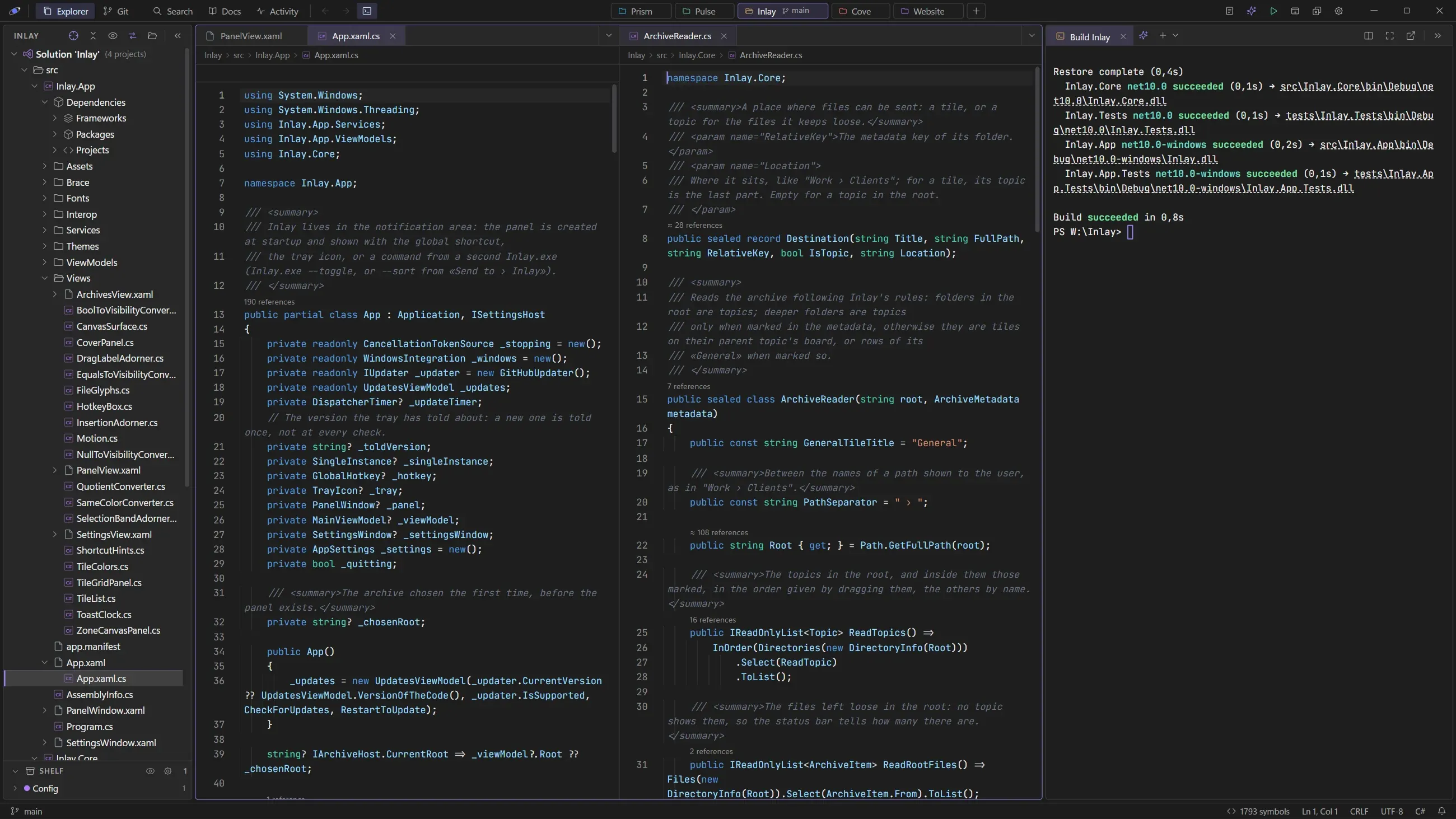
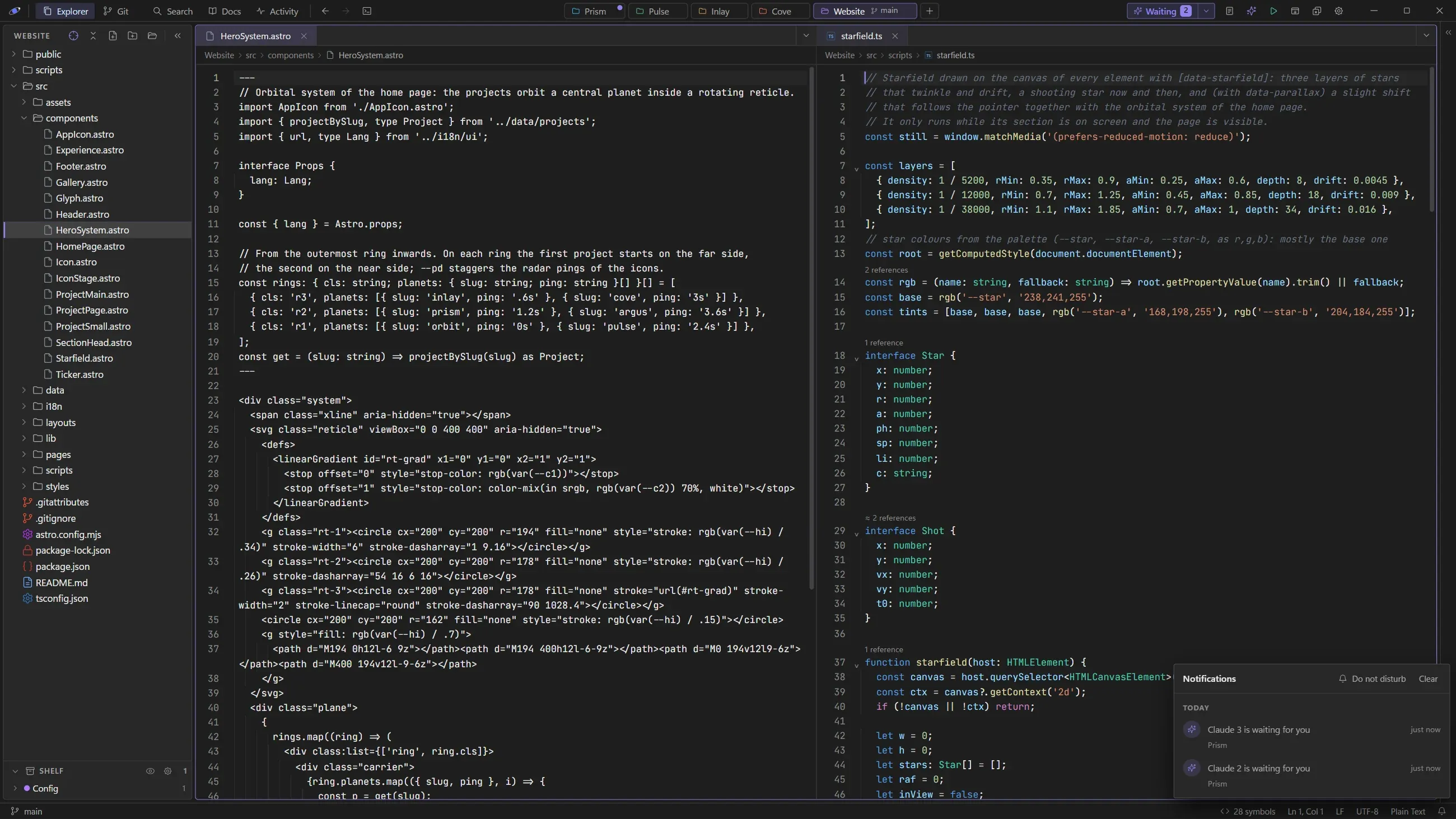
Each repository is a tab with its own color, and can move to a window of its own. The tree shows the real file system with git changes as they happen; folders you rarely open, like build output, go on the Shelf below it. For .NET repositories it can also show the solution, as Visual Studio does, with Build and Run.
Editor
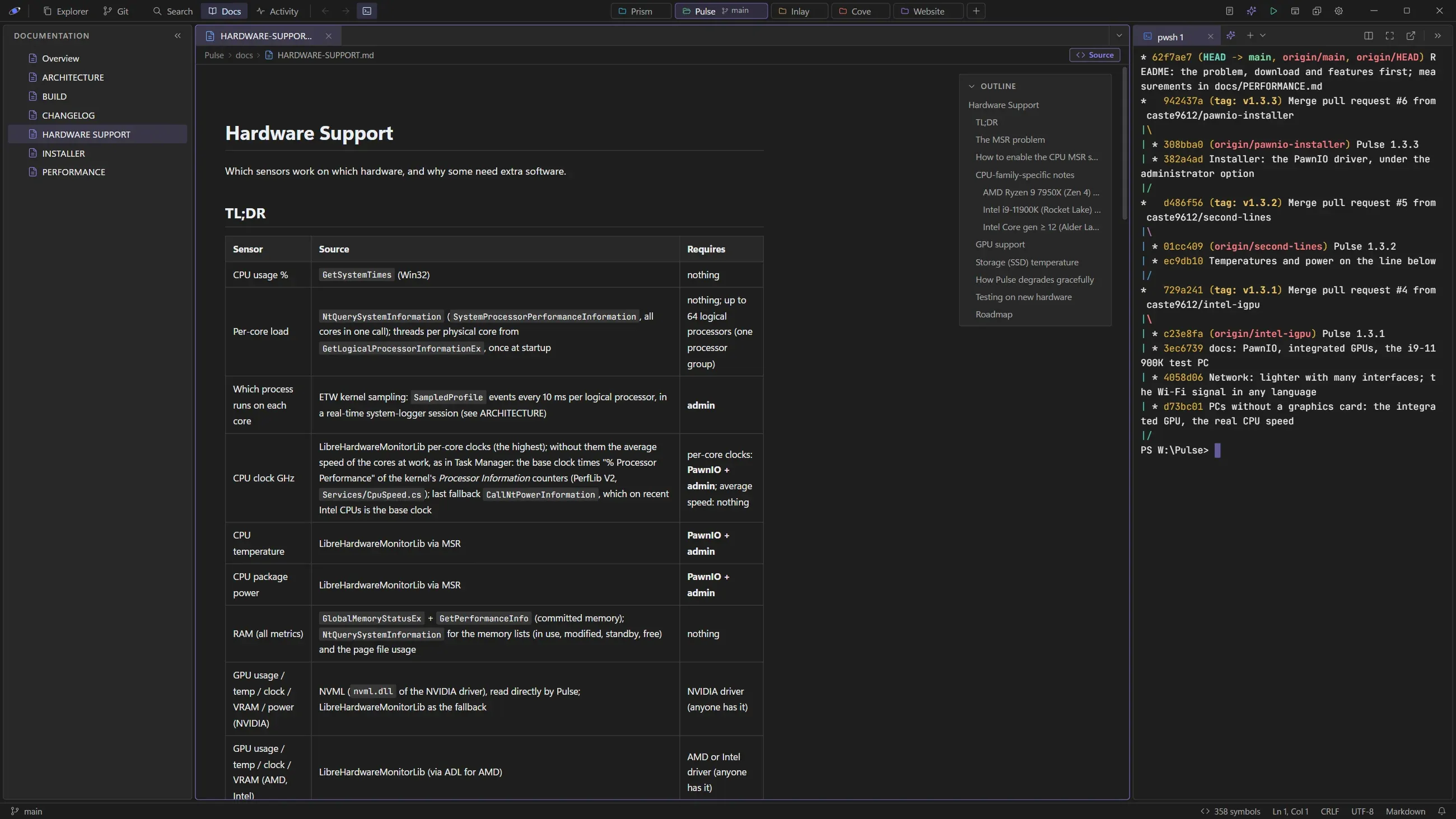
CodeMirror 6 with about 140 languages loaded on demand, up to six editor groups in rows and columns, Markdown and HTML preview, images and PDFs. Files changed on disk reload by themselves, and reopen where you left them.
Code navigation
A project symbol index built without a language server: go to definition, base types and implementers, and a line above each class and function with its references and implementations.
Terminal
Real terminals in tabs, up to six Claude chats or shells side by side, clickable file paths and links. Terminals and Claude chats come back, with their conversations, when Orbit reopens.
Git
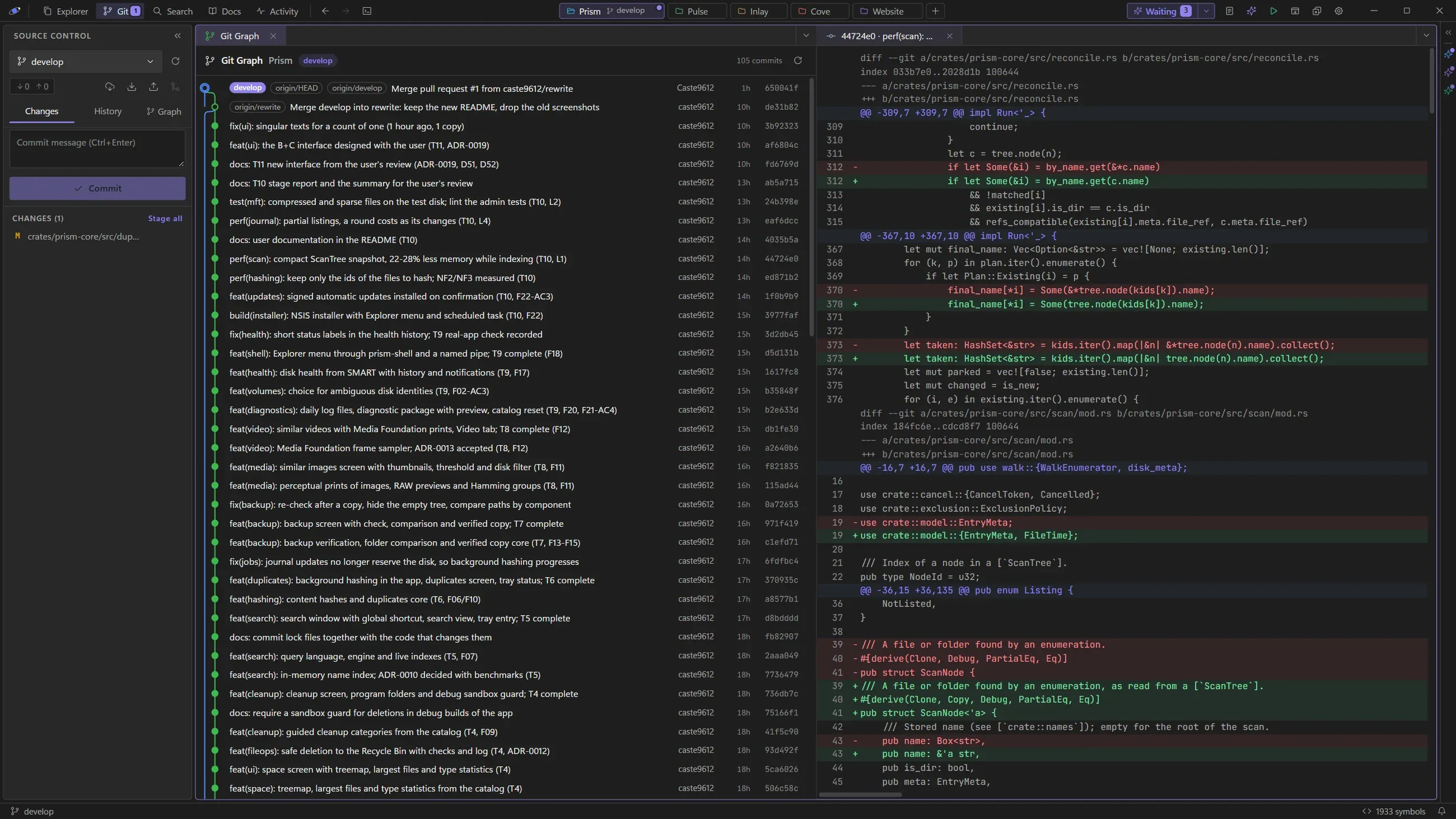
Status, diff, staging, commits, branches and a commit graph, through libgit2. Fetch, pull and push run the real git command in a terminal.
Claude Code
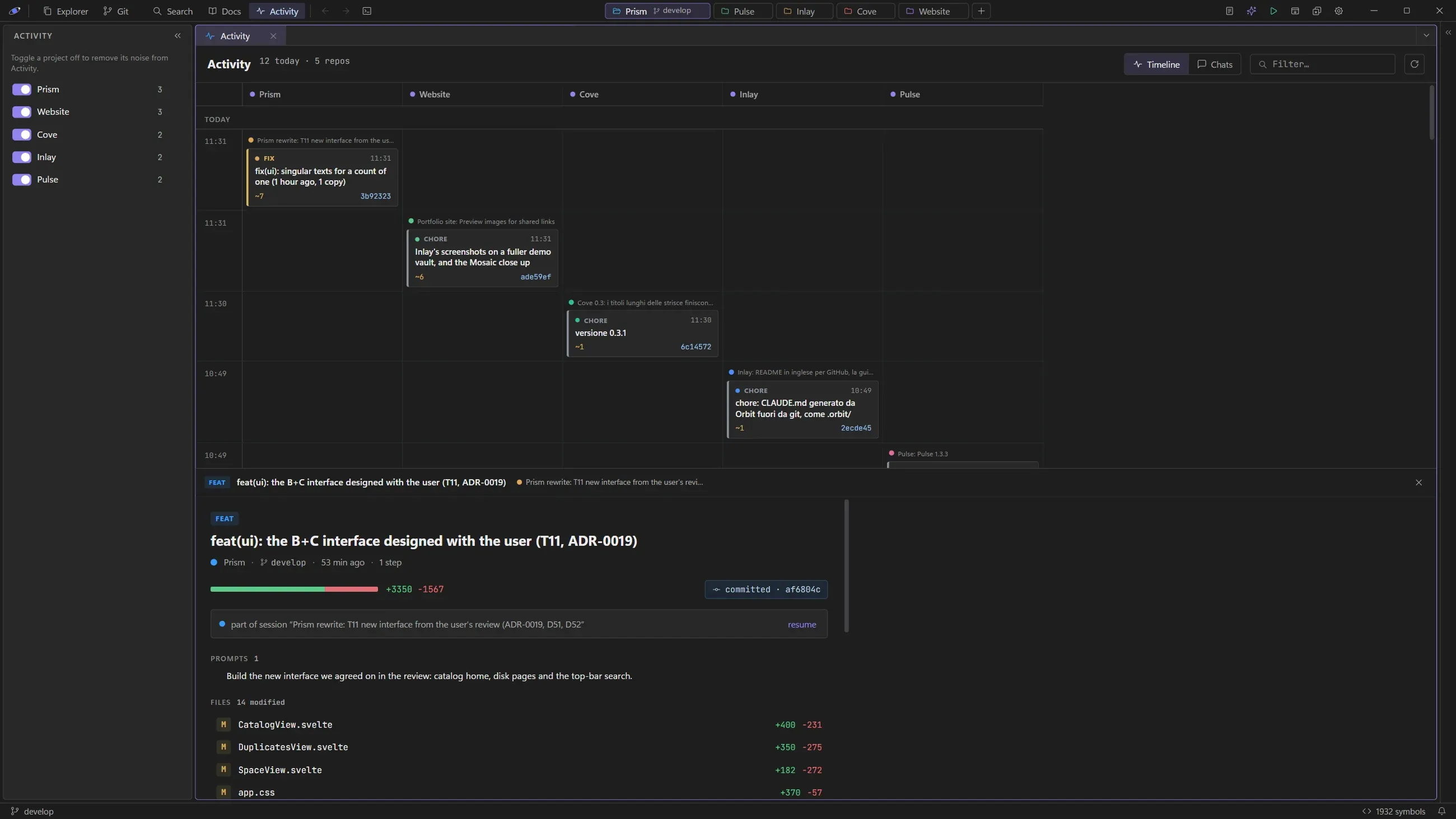
A timeline of the work Claude did in every repository, titled with its commits, a Claude menu with prompt shortcuts, and one notice, with a soft chime, listing the chats that are waiting for you.
02 — Details
Requirements and stack
PlatformWindows and Linux
Installer3.2 MB
Program~7 MB
LicenseMIT
Requirements
Windows with WebView2, which comes with Windows 11. The installer is available as .exe or .msi; new versions are then offered from GitHub and install in place with one click.
Linux: an AppImage for any distribution, a .deb for Debian and Ubuntu, an .rpm for Fedora and openSUSE, and a PKGBUILD for Arch. Orbit uses the WebKitGTK of the system, present on most desktops (the AppImage brings its own), and updates itself there too; the Arch package is updated by pacman.
 Pulse
 Prism
 Argus
 Cove
 Inlay