
Spaces and tiles
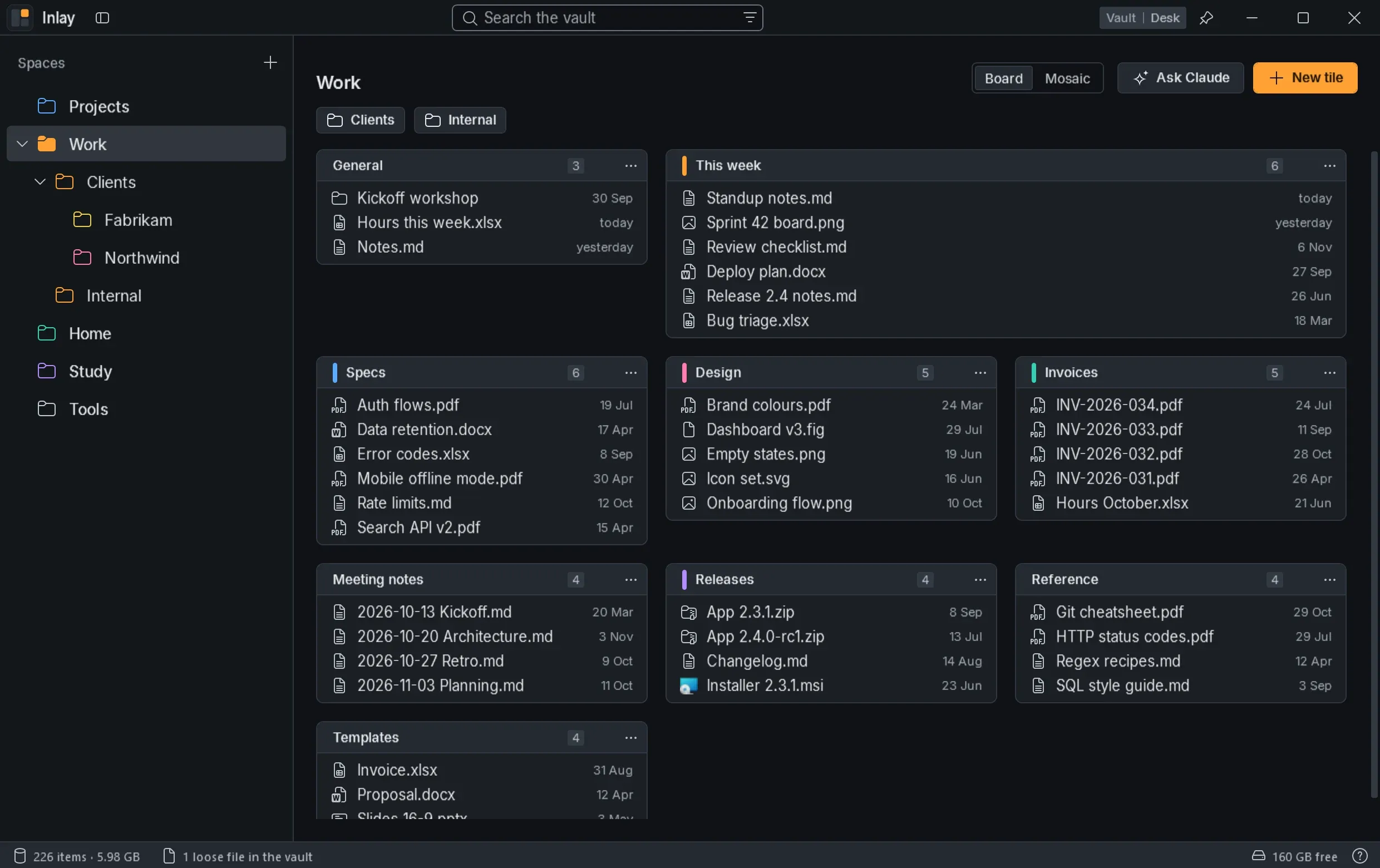
Spaces and the tiles on their board are real folders, so the vault stays tidy and usable from Explorer even without the app.
I used the desktop as a workbench, but with many windows open, and even more with GlazeWM, it is always covered. As a way to organise things it is also fragile: one level and no search.
A desk that comes up with Alt+E over everything, with the files in a vault of real folders divided into spaces, search, undo and the Mosaic of the whole vault.
01 — Overview
Inlay replaces the desktop as the place where you keep your files: they live in a vault of ordinary folders, organised in spaces, and the window comes up with Alt+E over whatever is open.
Spaces and the tiles on their board are real folders, so the vault stays tidy and usable from Explorer even without the app.
Select, open, rename, drag and copy with the same gestures and shortcuts as Explorer, also to and from other apps. Deleting goes through the Recycle Bin, and Ctrl+Z undoes moves, copies, renames and deletions.
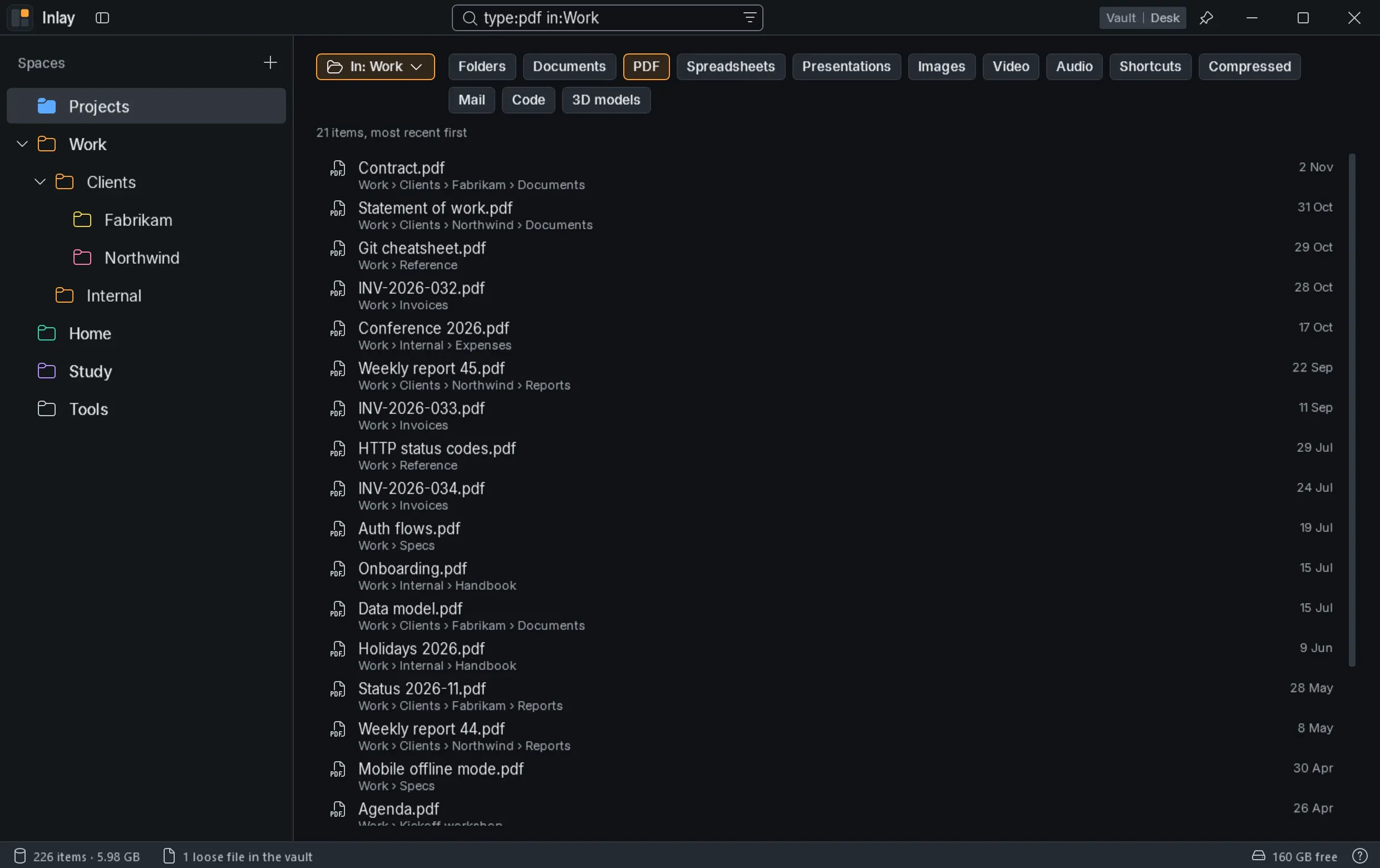
Type anywhere to search the whole vault, with filters by space and file type, which can also be typed (type:pdf, in:Work).
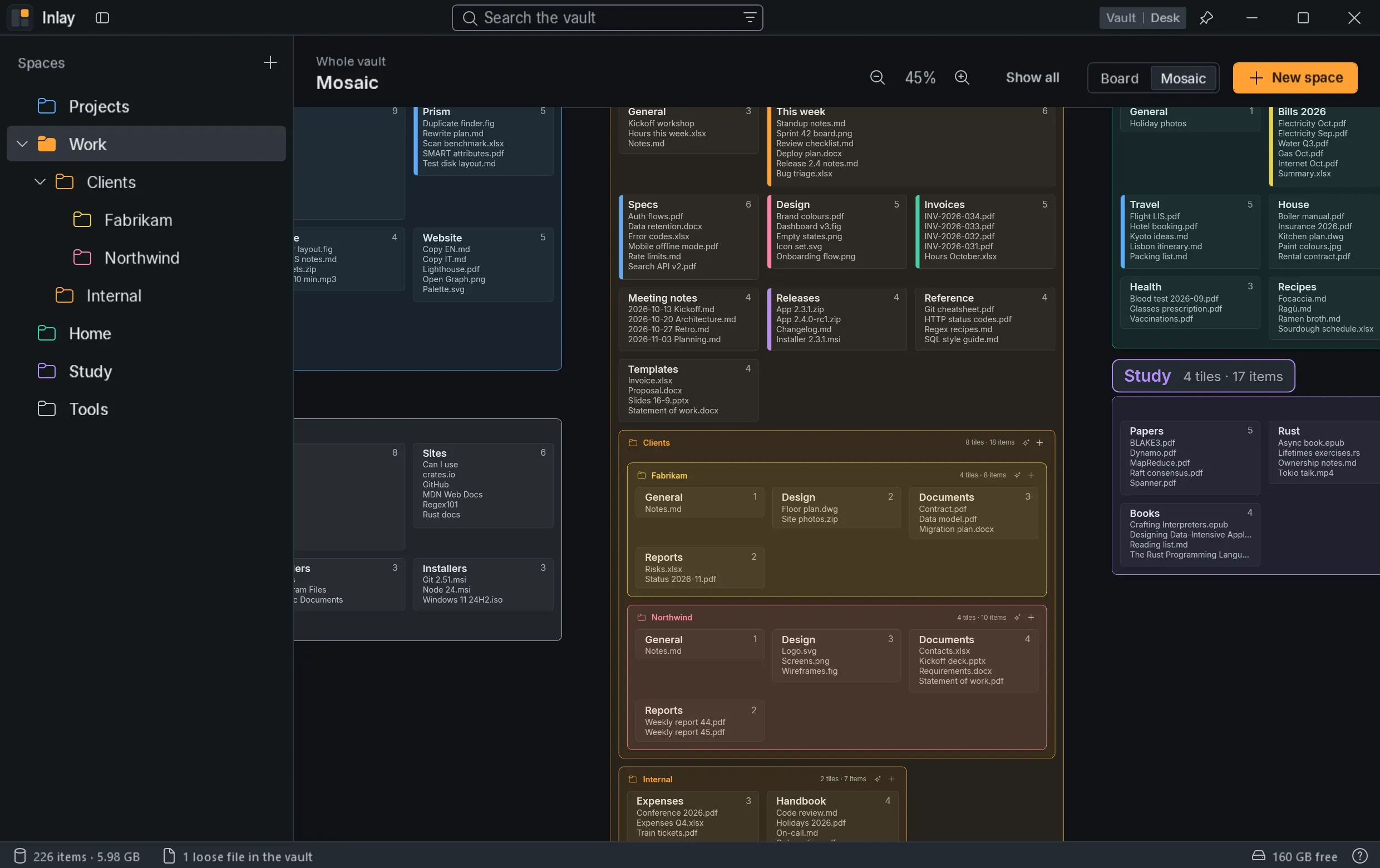
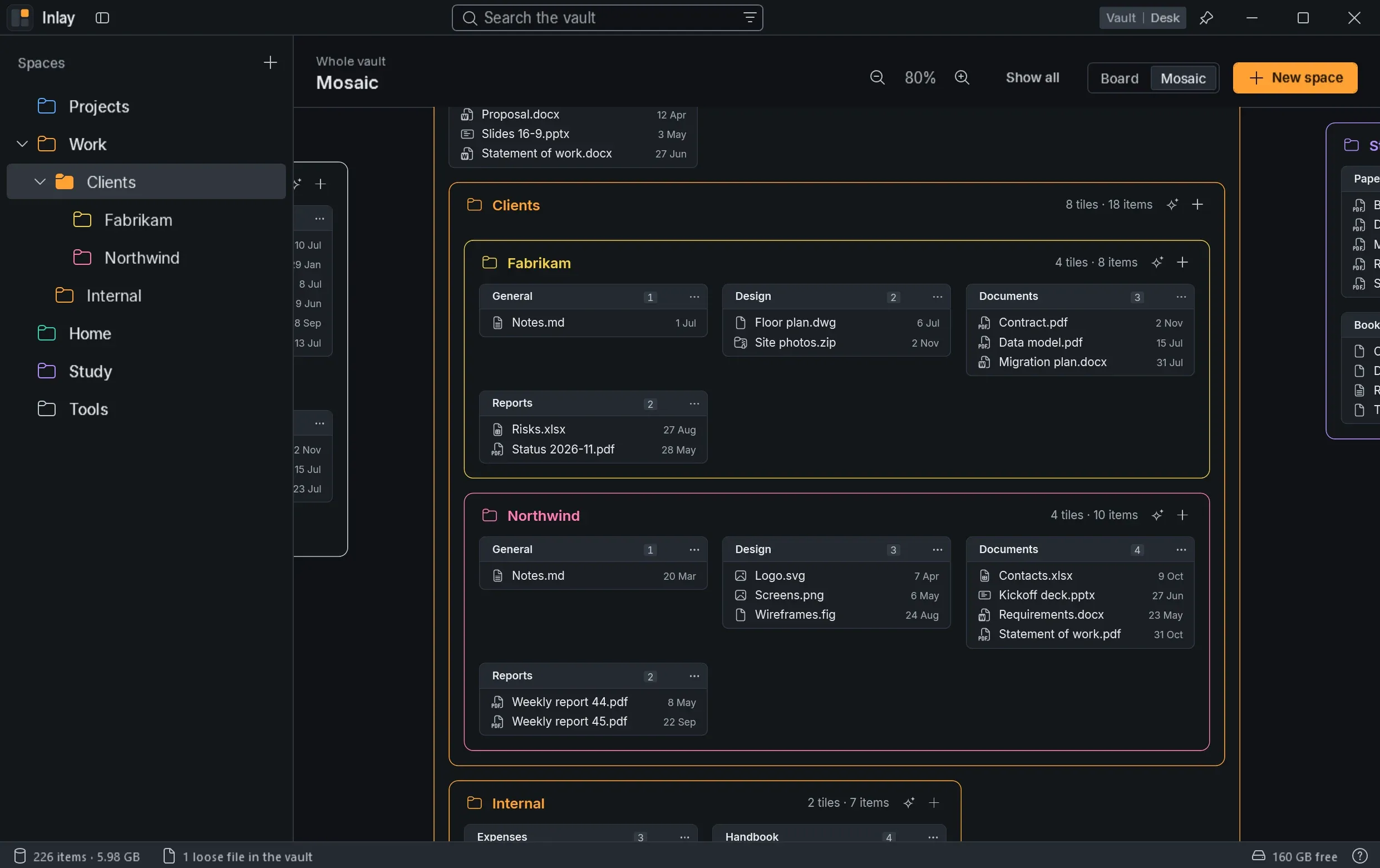
The whole vault on a canvas you can zoom, the Mosaic, with one zone for each space and a + to add a tile to it.
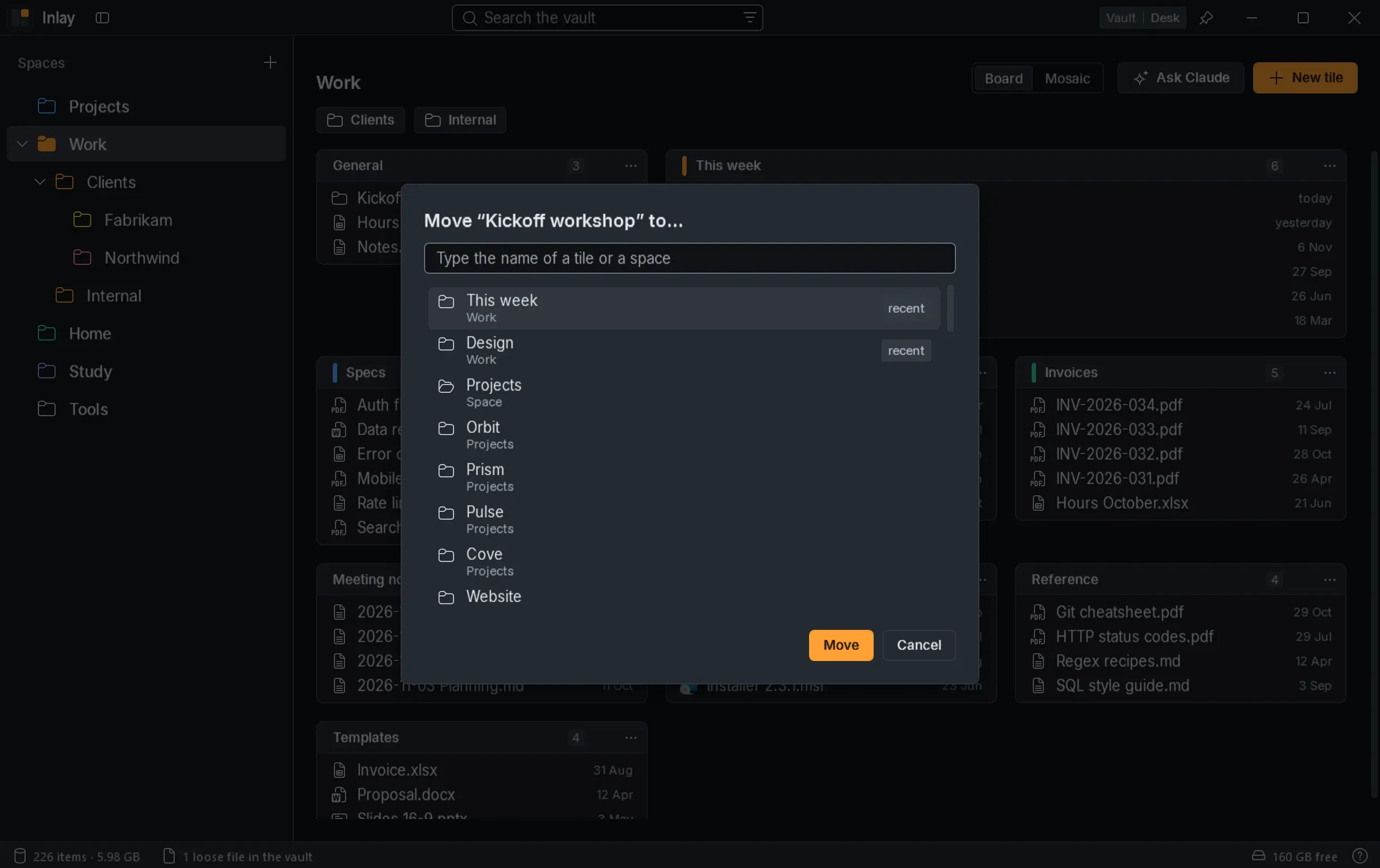
Files go to a tile or a space chosen by name, with Move to… inside Inlay or with Explorer's Send to menu.
Right-click a space, a tile or a folder to open Claude Code there, in Windows Terminal, with a prompt chosen in the settings or with an empty chat.
02 — Details
Windows 11 with the .NET 10 Desktop Runtime; the installer downloads it if it is missing. New versions arrive from GitHub by themselves.
Inlay installs for the current user without administrator rights. Uninstalling it leaves the vault and your files where they are.
Projects
 Orbit
 Pulse
 Prism
 Argus
 Cove